Blogging Strategy

Blogging without a plan is one of the fastest ways to fail. This category focuses on blogging strategy, including niche selection, goal setting, content planning, and building a blog with long-term growth in mind. These posts help you make intentional decisions that support consistency and monetization.

  • The Most Important Things You Need to Focus on During Your First Year of Blogging

    Starting a blog can be overwhelming. During the first year of your blogging journey, you shouldn’t let yourself get overwhelmed with all the information out there. This post contains the only things you need to focus on during your first year of blogging. Keep reading to see what they are!


    You’re probably here because you just started a new blog and now you have no idea what to do.

    And that’s ok! I had no idea what to do after I started my first blog, either.

    It took a lot of research over a lot of years to figure it all out.

    I got frustrated and I almost gave up and deleted my entire blog.

    And I’m not the only one. Did you know that 95% of people who start a blog fail in their first year blogging and give up?

    That’s a lot of new bloggers becoming overwhelmed with how much work actually goes into blogging!
    what you need to focus on during your first year blogging

    Yes, having a successful money-making blog is a lot of work and does take time and patience. But I don’t want you to get frustrated and give up as a new blogger! That’s why I put this list together of the most important things you need to focus on during your first year of blogging.

    The Most Important Things to Focus on During Your First Year of Blogging

    *Post contains affiliate links. They are free for you to click on, however, I will be compensated if you make a purchase. This supports my family and I thank you for your support! To learn more, click here.

    1. Have a plan for your blog.

    Having a plan for your blog from the very beginning will save you a lot of time and frustration. If you start writing without any planning in place, your blog will fail. And you will have wasted a whole lot of time. I made this mistake in my first year blogging and I gave up blogging for a while. This is my best tip for new bloggers!

    It’s super important to sit down and come up with a plan and some goals so your blog will become a success.

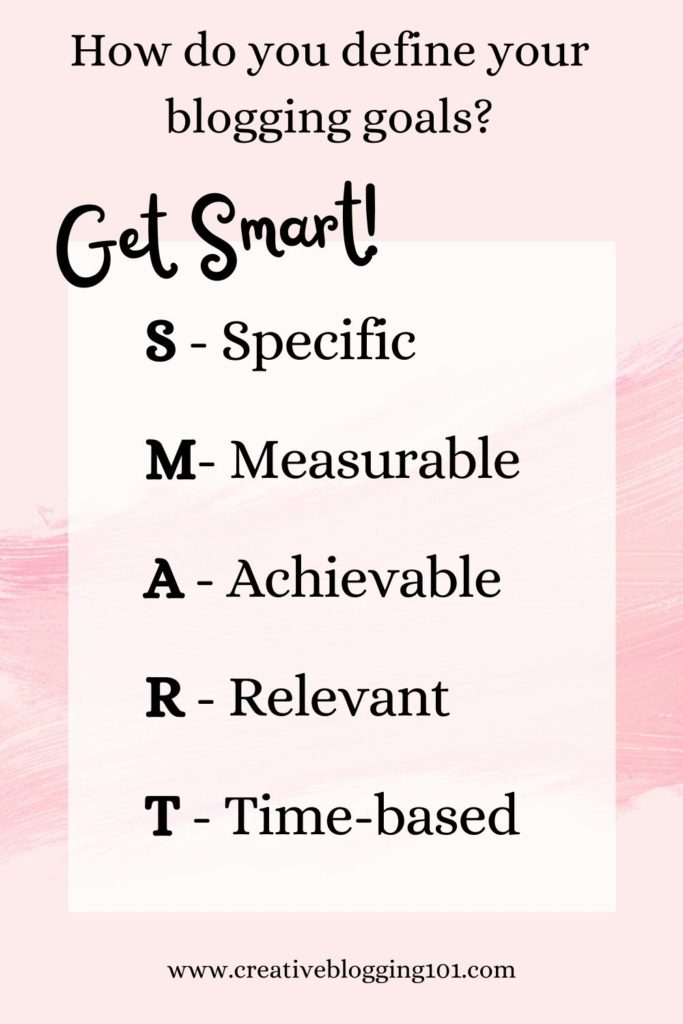
    How to define your blogging goals:

    1. Brain dump: Grab a notebook and write down all of your blogging thoughts, plans, goals, fears, and concerns. Get everything out. Trust me – it works and it makes you feel better! Keep in mind this is just a brain dump for overall blogging goals, not ideas for posts right now.
    2. Organize your thoughts: Draw a line down the center of a piece of paper. On the left side of the paper write “annual blogging goals” and on the right side write “ultimate blogging goals”. Go through your brain dump list and start sorting ideas into these two categories.
    3. Get S.M.A.R.T.: Now it’s time to set realistic and reachable goals, which you’ll find examples of all throughout this post. Examples of some goals are setting up an email address, getting 500 subscribers to your email list in the first 6 months, and so on.
      SMART stands for
    • Specific
    • Measurable
    • Achievable
    • Relevant
    • Time-based
    Define your blogging goals

    2. Set up your blog the right way.

    I know what you’re thinking, “What? I’ve already set up my blog!”

    There’s more to a blog than having a domain name and host and installing WordPress.

    Here are a few things you should focus on during your first year of blogging to get your blog set up correctly:

    1. Choose a theme: The theme is the template for the look and layout of your site. It’s where all of your brand colors and fonts come together in a user-friendly way.
      • Choosing a blog theme is important, but it’s not something you should spend a lot of time on in the beginning. You’ll always be improving the overall look of your site.
      • WordPress has free themes you can use or you can choose to go with a premium theme, which is not free. These are updated a little more frequently and have less of a chance of breaking down on you. But a free theme is the way to go when you’re first starting out with your blog.
      • Tips for choosing a theme:
        • It should be lightweight, not overloaded with plugins and data that is just going to slow it down.
        • It needs to be mobile-friendly.
        • It should be easy to customize.
    2. Set up categories: Categories are how you sort and group your blog posts into different sections.
      • To set up categories, go to your WordPress dashboard, then under “posts” click “categories” then “add new”. Name your category, set a slug, choose a parent category (only if this is a subcategory), set a basic description, then click “save”. (Learn the differences between categories and tags here.)
    3. Set up your main pages: Click here for information on all the pages you need to have on your blog and why they’re important. Setting up these pages is very important to focus on during your first year of blogging and I would recommend setting them up right away. These blog pages include:
    4. Create your menu: The menu sits at the top of your blog and is the best way to help readers navigate through your blog. You can add pages, posts, and outside links to your blog menu.
      • To create your menu, go to your WordPress dashboard and click on “appearance” then “menu”. Give your menu a new name (something like top menu or whatever), then save it.
      • Next, choose the pages your want to add from the left column and drag and drop them however you want them to show up on your blog.

    3. Set up Google Analytics.

    Google Analytics is a free tool provided by Google to help you track the traffic that comes to your blog.

    With Google Analytics, you can learn all about audience behavior on your site, such as their:

    • interests
    • demographics
    • the pages they visit the most
    • and more!

    Studying audience behavior through Google Analytics gives us bloggers the power to grow our blogs as well as serve our readers the best we can.

    You can learn everything you need to know about Google Analytics in this super helpful guide written Moz.

    what to focus on during your first year of blogging - create an email list

    4. Create an email list.

    Having an email list is the best way for your readers to get your posts. More than likely they are not going to remember to visit your blog every day to see if you’ve written a new post. To get them to see and read what you’ve written, you need to send them an email sharing that information. You should never depend solely on social media to share your blog.

    Creating an email list is one of the most important things to focus on during your first year of blogging. Aim to get at least 500 subscribers in your first blogging year.

    Why is having an email list so important for your blog?

    Email subscribers are more likely to share your content than they would if they saw your post on Instagram.

    Also, people signed up to get your emails for a reason – they’re interested in what you have to offer. Having an email list makes it easier to target the right people for offers and products.

    Best free email marketing tool:

    Most bloggers use ConvertKit for their email marketing. They are very user-friendly, their sign-up forms are customizable, and it’s FREE to sign up!

    How to build your email list in your first year of blogging:

    Step 1: Offer an incentive

    Incentives are often referred to as “lead magnets“. When visitors come to your site and see that they are going to get something free just for joining your email list, they are going to sign up. Everyone loves free stuff!

    They need to be useful, solution-focused, and goal-driven. If your incentive is not useful and doesn’t solve the reader’s problem, they are not going to bother signing up for it. Also, ask yourself where does the free incentive sit in your sales funnel? If you have a product to offer for sale, be sure the opt-in form leads subscribers to your product landing page after they sign up.

    Types of incentives to offer include:

    • checklists
    • eCourses
    • eBooks
    • video tutorials
    • workbooks
    • planners
    • calendars

    Step 2: Add opt-in forms to your blog

    Create eye-catching and conversion-focused opt-in forms with bold colors and fonts to attract attention. Be sure to place forms in strategic places throughout your blog, such as within every blog post and in the sidebar widget.

    Pop-up forms that catch people when they are about to leave your site are perfect attention-grabbers. Make sure they know what they are going to miss if they leave your site without signing up for your email list.

    5. Create valuable content.

    One of the main things to focus on during your first year of blogging is creating valuable content that attracts readers. Find topics that people are interested in and want to know more about. Search a topic on Google and look at the questions that pop up in the “People also ask…” box. Use those questions as questions you can answer in blog posts for readers.

    As a new blogger, you should get into the habit of writing every day. That doesn’t mean you should post a new blog post every day! But you should be focused on writing something, even if it’s just to rewrite and make an older post better. Aim for at least 2 blog posts a week and remember to remain consistent with your posts.

    Not every blog post needs to be SEO-focused and filled with a lot of keywords. During your first year of blogging, you should focus more on having content written and shared. Focusing on SEO and keywords will come later.

    Best types of content to write

    The best types of posts to write are called “pillar posts“. Pillar posts are meaty, useful, well-written posts that are engaging. They are usually filled with relevant images and helpful videos to help readers understand what’s going on. Topics in pillar posts are covered in-depth so much that people will link to them for years to come.

    Examples of pillar posts include:

    • “how-to” posts
    • lists
    • roundups
    • ultimate guides
    • definition articles (explain certain topics such as content marketing very in-depth)

    Comments count toward long-form content, too. Ask a question at the end of your post to get readers engaged.

    Related: 6 Steps to Take After Publishing a Blog Post

    6. Start monetizing your blog

    I would highly recommend that you start monetizing your blog during your first year of blogging. Don’t make the mistake of waiting until after you have published a ton of posts like I did. I spent months going back through posts and adding in affiliate links. This is so much easier if you start monetizing your blog from the beginning.

    What are the best ways to monetize your blog during your first year of blogging?

    1. Affiliate Marketing: Affiliate marketing is promoting someone else’s products. For example, sharing links to Amazon products within your blog posts. If someone clicks one of your links and makes a purchase you will receive a small commission.
      • Start off by promoting 1-2 affiliates directly related to your niche. To promote these affiliates you can write affiliate-related articles or place affiliate links within related blog posts. Also, you can place affiliate banners on sidebar widgets with eye-catching graphics. Be sure to promote affiliate links to your email list and on social media as well.
    2. Create a product to sell: Digital products are very popular right now. People are buying eBooks and printable planners now more than ever.
      • Types of products to create and sell include:
        • Digital products such as calendars, planners, eBooks, eCourses, copyright-free images
        • Services such as one-on-one consulting, coaching, photography, vacation planning
      • Before creating a product to sell to your audience, ask yourself these questions:
        • What does your target audience really need/want?
        • What questions do they have?
        • How can you solve the problems they are facing?
    3. Sponsored posts: Sponsored posts are articles that a company or brand pays you to write. You must include links to their products and services within your post. Reach out to brands and companies you love and trust. It’s best that you actually use their products so that you can share your honest review with your audience to build a trusting relationship with them.

    7. Drive traffic to your blog

    The main ingredient to a successful money-making blog is traffic. The more visitors you have, the more people you have to click on affiliate links and ads and buy your product(s). It can take up to 6 months for Google’s algorithms to fully index your site and for your blog to start ranking in top search results.

    During your first year of blogging, you should be focused on driving traffic to your blog through Pinterest and social media. Also, make sure to read and comment on other blogs. You may get lucky and gain new followers.

    Backlinks are another great way to drive traffic to your blog. Getting links to your blog from other sites with a higher domain authority will help you rank higher and quicker on Google. (Domain authority is a search engine ranking score developed by Moz that predicts how likely a site is going to rank in search engine results pages. The scores range from 1-100).

    Related: 20 Proven Strategies to Drive Traffic to Your Blog

    8. Start niching down.

    When you first start blogging, you might write about different topics to see what interests your audience the most. After writing several blog posts and studying Google Analytics, you start niching down and choosing your target audience.

    Niching down to a specific topic helps you rank in Google quicker and higher because Google can understand what your blog is about. Readers will also know exactly what your blog is about. And the ones who are most interested in the topic you’re writing about will sign up for your emails and keep coming back to read more.

    Also, when your blog is niched down, it tends to get more traffic from Pinterest.

    To niche down your blog, choose a topic that combines your passion and interests with your experience. Think about who can benefit from your skills. This will help you gain authority and build trust with your targeted audience.

    Related: Finding Your Blog Niche

    Having a successful blog shouldn’t be an overwhelming chore. There are a lot of sites out there jampacked with information on how to make money with your blog. If you try to do too much at once, you will get burnt out and overwhelmed and you will give up and quit. Therefore, your blog will fail and you will have lost valuable time and money.

    The above tasks are the most important tasks that you need to focus on during your first year of blogging if you are serious about having a successful money-making blog for years to come. In the following years you should be putting more focus on learning SEO, Google algorithms, long-tail keywords, and more to keep your blog going.

    If you’re a new blogger, what are your goals to focus on during your first year of blogging? If you’re an established blogger, what did you focus on most during your first year? Is there anything you wish you would’ve focused on sooner?

    pin me
    Most Important Things you need to focus on during your first year of blogging

  • 6 Steps to Take After Publishing a Blog Post

    You’ve written and published your amazing blog post. Now what? If you’re scratching your head trying to figure out what to do next, keep reading! I’m sharing 6 steps to take after publishing a blog post that will bring traffic to your blog and get you noticed!

    If you’re reading this, then you have more than likely already created your blog and you’ve written a few blog posts. 


    Congratulations!

    (However, if you are just curious and haven’t started a blog yet, click here for easy instructions on how to create your own money-making blog.) 

    But now what?  

    I’m sure you want others to read your posts and follow your blog. After all, you put a lot of hard work into it. But how do you get people to know that you’ve written a new blog post? 

    Keep reading for 6 steps to take after publishing a blog post.

    6 Steps to take after publishing a blog post
    steps to take after publishing a blog post

    6 Steps to Take After Publishing a Blog Post

    Following these steps after publishing your blog posts is very important, especially if your blog is a money-making blog. Even if your blog is just a hobby blog, you can still follow these steps to get a larger audience. 

    1. Promote

    Promoting your blog post is simply sharing it on your favorite social media site. Share every post to whichever social media you use the most. I would not recommend trying to use all of them. It just gets overwhelming and it will feel more like a chore that you hate. 

    Choose one social media site to start with, such as Instagram or Pinterest. (Pinterest is my favorite because it brings the most traffic to my site.)

    Also, it’s okay to share one post more than once. If you only write one post a week, break the post up into several sections to share on social media. 

    For example, let’s say you are publishing a blog post about organizing a kitchen pantry. 

    • Monday, share why keeping an organized pantry is so important on Instagram with photos of your messy pantry before and your organized pantry after. 
    • Wednesday, share the steps you took to get your pantry organized with photos. This is also a great opportunity to share the organizers and/or containers you used using affiliate links.
    • Friday, challenge your followers to get their pantry organized, too. 

    Promoting your posts is one of the easiest ways to get your posts noticed and bring in more traffic to your blog. After all, if you’re not sharing your posts with your social media followers, they’re not going to know you posted anything. Unless they’re on your email list, of course. (More on that later.)

    Click here for 14 sites you can promote your blog on for free.

    2. Track your stats

    Make sure you have Google Analytics installed and connected to your blog and that you’re taking advantage of it. It’s a free service that’s easy to use and it provides you with a ton of valuable information about your site. 

    With Google Analytics you can:

    • See how people find your site (organic search, social media, other sites, etc.)
    • Track what people do while they’re on your site (You can see how long they stay on your site, what pages they click through to next, etc.)
    • Gain data on visitors (You can learn their demographics, geography, and general interest – all of which help you learn your target audience.)
    • Figure out the most popular pages on your site (so you can write more of these types of posts)

    After publishing a blog post, you need to be checking your stats for all of this information. Checking your stats can help you learn how to improve your blog and your posts in the future. 

    3. Link to older posts

    Every time you publish a new blog post, you should include a link to that post in older posts that are similar. 

    For example, back to your pantry organizing post. Let’s say you have published a post in the past with a tutorial on how to organize your kitchen cabinets. After publishing a blog post on how to organize your pantry, go back to the kitchen cabinets post and add a link to the pantry post. 

    This is called “internal linking” and is great for SEO. It also decreases bounce rate, which refers to the percentage of visitors that leave your website after only viewing one page on your site. You want visitors to stay on your site for a while and visit other pages. Linking to other posts within posts will make it easier for visitors to find other relevant posts. Plus, it will keep them on your site longer.

    4. Create 3-5 pins for Pinterest

    Pinterest is the best way to get your blog posts seen by thousands of people. 

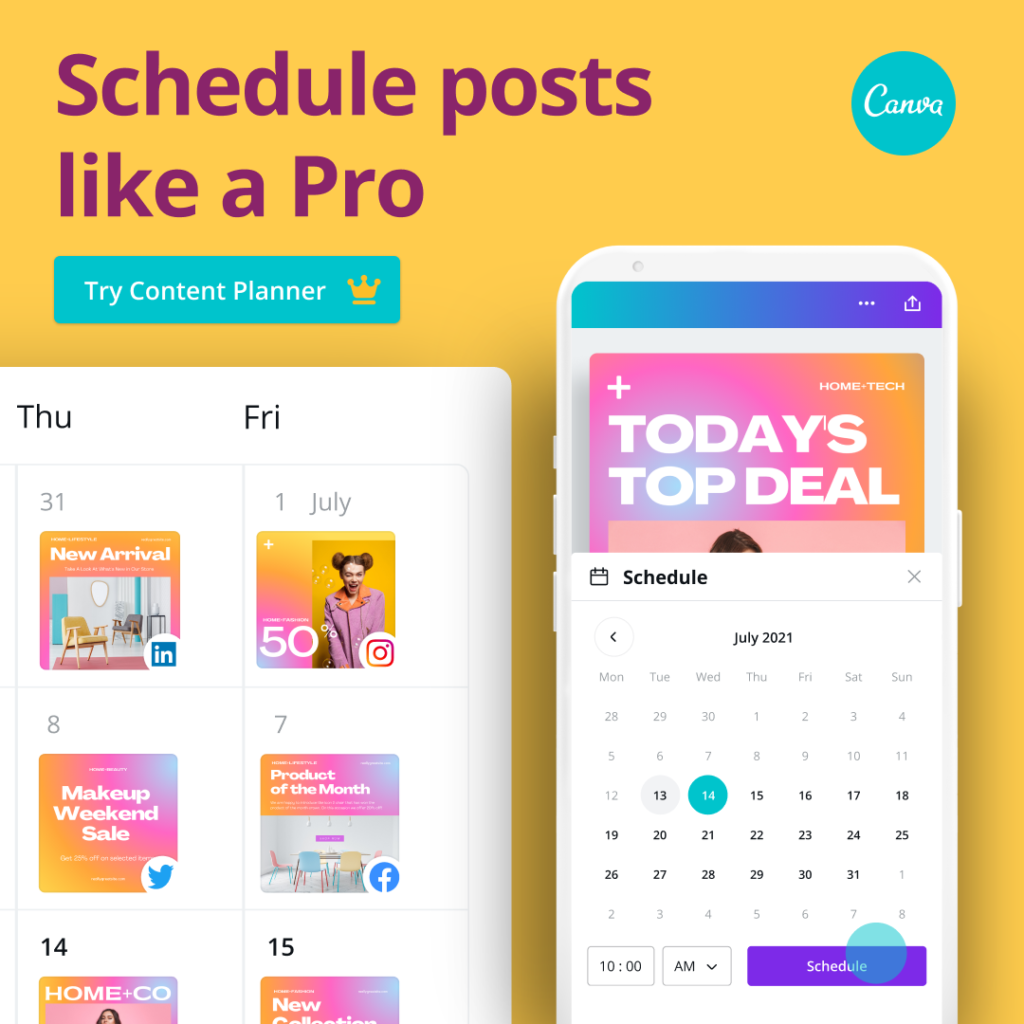
    I use Canva to create pins for my posts. It’s easy to do and I already have my pin templates set up for my brand. Canva is free to use and they also have a paid version that allows you to access all of their templates and photos. 

    Click here to get a free trial to Canva pro for 30 days. 

    After creating pins for Pinterest, you can schedule them to pin at certain times on the days you choose with Tailwind. This is so easy to do and saves you a lot of time. Tailwind isn’t free, but it is cheap and I would definitely recommend using them to schedule pins. 

    Click here to learn more about Tailwind and try it out for free to see if you like it.

    5. Send out an email

    Having an email list for your blog is a must. I know you’ve heard it all before, but trust me – it’s true. For my other blog, I send out a weekly email with a personal message and links to my latest blog posts. I make sure not to overwhelm my readers and fill up their inbox daily. 

    After publishing a blog post, make sure you’re sending it out to your email list so your readers will know about it. Your loyal followers will be excited to see what you’re up to and they’ll be eager to read what you’ve written. 

    If you haven’t already signed up for email, I would recommend ConvertKit. It’s easy to learn and they have the best customer service! If you ever need help, they respond quickly with answers. Plus, their opt-in forms are so pretty!

    To learn more about ConvertKit and to sign up, click here. They also have a free plan!

    6. Respond to comments

    Publishing a blog post that asks a question will more than likely get you a lot of comments. Make sure you are responding to all the comments as quickly as possible. This is great for SEO as well as for your readers. Nobody likes to be ignored. 

    Responding to comments is a great way to gain relationships with your readers. They’ll see you as a real person that they can relate to. And they’ll appreciate you taking the time out of your busy day to respond to them. 

    To recap:

    6 Steps to Take After Publishing a Blog Post

    1. Promote
    2. Track your stats with Google Analytics
    3. Add a link to the new post within relevant older posts
    4. Create 3-5 pins for Pinterest
    5. Email your list
    6. Respond to comments

    Canva

    canva

    Tailwind

    tailwind

    ConvertKit

    ConvertKit

    More blogging tips:
    20 Proven Strategies to Drive Traffic to Your Blog
    8 Steps You Need to Know to Writing Captivating Content
    Top 4 Ways to Make Money as a New Blogger

    pin me
    6 steps to take after publishing a blog post
  • 20 Proven Strategies to Drive Traffic to Your Blog

    Are you struggling to drive traffic to your blog? You’re not alone. These strategies have been proven to help you gain more traffic to your blog.

    Have you ever looked at your blog’s analytics and just hear crickets?

    You’ve worked so hard and written a great post and now you’re wondering when all the people are going to start showing up.

    I get it! I’ve been there, too.

    When I started my first blog, I wrote a lot of posts before I finally had one reader. I was so excited! Slowly more people started following my blog, but most of them just wanted follow-backs. They never even read my posts.

    After a while, I started to figure out that I needed the “right audience” to gain the blog traffic that I needed.

    20 proven strategies to drive traffic to your blog

    *Disclosure: This post may contain affiliate links, meaning I earn a commission if you click through and decide to make a purchase. Thank you for supporting my blog!

    Why the “right audience” matters

    More traffic doesn’t always mean better.

    Your goal should be to bring in targeted traffic that is relevant to your blog. There needs to be a reason for people to come to your blog. These people have something specific they are looking for. If you are not providing them with the answers that they are looking for, then they’re not going to stick around.

    The “right audience” for your blog is the audience that becomes faithful readers. They sign up for your email list because they want to learn more from you. They quickly become your supporters. Learning the right people to target is the best way to drive traffic to your blog.

    Strategies to Drive Traffic to Your Blog

    1. Create audience profiles

    Before you start creating content, you need to figure out who your target audience is going to be. Your content needs to focus on your targeted audience in order to drive more traffic to your blog.

    Get a piece of paper and write down these questions:

    – How old are they?
    – What is their gender?
    – Are they married?
    – Where are they located?
    – What are their occupations?
    – What is their income level?
    – What nterests and hobbies do they have?
    – Do they use social media?
    – How much time do they spend online each day?

    The more details you know about your target audience, the more you will succeed within your niche. Your content will start bringing in the right audience and this will increase blog traffic.

    2. Find your blog niche

    Your blog niche is the topic all of your content will be focused on. It’s important to figure out your niche before you start your blog.

    Finding your blog niche can be done in 2 simple steps:

    1. First, make a list of everything you’re passionate about and want to share with others.
    2. Then, narrow down that list to pick one or more topics you want to write about.

    Be sure to read my post on how to find your blog niche to understand more about this topic.

    You can find a list of the top 10 money-making blog niches here.

    3. Research keywords

    Keywords are very important when it comes to SEO. Doing keyword research will help you discover what others are actually looking for. Also, you will be able to find unique content ideas and you can learn from your competitors.

    The best way to do keyword research is to use tools such as SEMRush. Once you get to the site, enter a keyword and your competitor’s blog URL (or your own) to find more keywords.

    Learning SEO and how to correctly research keywords are very important at getting you ranked on the top pages of Google. When someone is searching for a keyword you’ve used, your post will come up. Getting your site ranked within the first 3 pages of Google is the quickest way to increase blog traffic. Social media and Pinterest aren’t always as reliable at bringing more traffic to your blog.

    4. Plan traffic generating content

    – Select the right topic

    Before you sit down to write your first blog post, you need to think about the topic you’re going to write about. If you’re writing about a topic that nobody is interested in, then you’re not going to get any traffic at all.

    Here are some ways to figure out what other people are interested in:

    • Read lots of other blog posts
    • Visit forums
    • Visit Quora and see what questions are being asked the most
    • Use Google Trends to see what search terms are most popular
    • Use SEMRush to find out what keywords your competitors are ranking for in Google

    It’s important to remember that the topics you are writing about stay within your niche. Your goal for increasing blog traffic is to bring in the “right audience” and answer their questions.

    Recommended: 180 Blog Posts Ideas for Any Niche

    – Choose a content type

    • Certain types of content get more attention than others.
    • Content that includes lists and infographics tends to get more shares than other types of content.
    • For me personally, list posts seem to get shared more than any other post. They also generate the most traffic to my blog.

    – Add value to your post

    There are probably a lot of other articles out there that are very similar to what you’re writing about. The key is to stand out from those other writers. You need to figure out what makes your content different from all the rest.

    Maybe you go with a different angle or go into more detail. Or perhaps your posts are much easier to read or include more depth.

    The main idea of writing great content is to find the key that separates your content from all the others. If your content is the just the same thing someone has already read before, they’re not going to keep reading. Your posts need to be full of valuable content to bring in readers and drive traffic to your blog.

    Recommended: 8 Steps You Need to Know to Write Captivating Blog Posts

    5. Create attention-grabbing headlines

    Headlines matter. They’re like the first impression of our posts. The goal of an attention-grabbing headline is to convince people to read what you’ve written. And what better way to increase blog traffic than to lure them in with an attention-grabbing headline.

    Here are four tips to remember when writing your headline:

    1. It should be unique

    If your headline is just like everyone else’s, then you’re not going to stand out. Readers will think you’re just like all the rest and they won’t have any reason to keep reading.

    Your headline should have a personality. It shouldn’t be boring and robotic.

    2. Use numbers

    People love numbers. Since list posts are so popular using numbers in your headline will almost always guarantee your writing will be read.

    3. Be specific

    Try to summarize your content’s main point into one sentence. Just keep it simple and write exactly what your main point is. Then you can polish it up and create a specific and attention-grabbing headline.

    4. Use adjectives

    Use adjectives in your headline that trigger emotions, such as:

    • Excellent
    • Simple
    • Valuable
    • Mind blowing
    • Proven

    Using emotion-evoking adjectives in your headline will grab readers’ attention and make them want to read more.

    6. Update old content

    You should always update old content if you want to drive traffic to your blog. When your content becomes outdated, it’s not as helpful to readers. Plus, outdated content will not rank as high in search engines. They like fresh content.

    To see which blog posts you should update first, check your analytics. Find the posts that don’t get as much search traffic anymore. Update those posts first. Fill them with keywords and add or update images and graphics that help the reader understand your content better.

    One rule of blogging is that you should always be writing. Either writing new content or updating existing content. Writing daily will improve your writing overall. Practice makes perfect! Once your writing improves and your content gets better, your blog traffic will increase because you’ll be ranking higher on Google.

    7. Make your content visual

    Visual content will almost always get shared more than text, therefore driving more traffic to your blog. People love seeing images and graphics and nowadays videos are more popular than reading.

    Here are some ways to make your content more visual:

    • Create a unique featured image
    • Use graphs and charts to help readers visualize data
    • Embed a video
    • Include a shareable infographic
    • Add screenshots
    • Include a unique graphic
    • Include a meme or cartoon

    8. Make your content readable

    Humans have a short attention span. We need to be able to glance at a site and easily scan the contents. If all the words are jammed together in one long paragraph, readers are not going to stick around.

    To solve this problem, our content should be easy to read. Use smaller sentences and paragraphs to break up the content.

    Also, consider using bullet points and lists in your posts. Use bold print to highlight your most important points. And don’t forget to include the visual aspects.

    9. Mention influencers

    In your next blog post, link to other posts written by influencers specific to your niche. However, you should only mention them if it adds value and helps your readers. Don’t just mention them because you want to increase blog traffic. That’s not going to work.

    After you’ve mentioned them in your post, reach out to them and let them know that you did so. People love to share stuff about themselves so more than likely they’ll share your post with their audience.

    A great way to mention an influential blogger on your blog is to interview them. Readers like to get another person’s perspective on certain topics.

    Also, you can invite influential bloggers to contribute to your blog. This can be a great way to get more content and drive traffic to your blog.

    10. Improve your site

    • Redesign your site

    Your site’s design really does matter. Having a clear site that readers can enjoy will keep them coming back.

    You don’t even have to be a developer or designer to have an impressive site design. WordPress offers many free themes or you can choose a paid theme. Paid themes do get updated more often and tend to work longer than free themes.

    • Remove distractions

    Everything on your blog should have a purpose. If you have distracting ads or pop-up videos that can’t be closed, readers are not going to stick around. You want readers to stay on your site and browse around. Nothing makes me leave a site faster than videos popping up and ads slowing the site down. I’m there for one reason – to read their content and find out more. Not to wait 3 minutes to close an ad before I can read anything.

    • Improve site speed

    Page loading times are super important when it comes to your blog. If people come to your site and your page takes too long to load, they are going to leave.

    Check your site’s speed with tools such as Google’s PageSpeed Insights. It will give you an idea of how to improve your pages’ load times.

    – Add internal links

    When you write a blog post, always include links to other relevant posts that you’ve written. This makes it easier for readers to find your best content and also keeps them on your site longer. It also makes it easier for search engines to index your content. Your number one goal is to drive traffic to your blog and your second goal is to keep them on your site longer.

    – Add social sharing buttons

    You want to make it easier for readers to share your content with their audience. They might want to email your post to their family and friends or pin it to Pinterest for later reference. Pinterest is a great way to bring in traffic to your blog, too.

    11. Build an email list

    Having an email list is one of the most important things you can have for your blog. You can send a weekly email to your readers sharing the content you posted for the week. They’ll be able to easily access the links in your email, bringing them to your blog week after week.

    Offer readers a reason to sign up for your emails. For example, offer a free printable checklist or worksheet relevant to your niche. If you write about blogging, offer a free blogging content calendar or a list of 100 blog post ideas. People need a reason to sign up for your email. If they feel it’s not worth it then they’ll never sign up. Drive traffic to your blog with free incentives for signing up for your email list.

    A lot of bloggers use Convert Kit to build their email lists. You can sign up for a free account here.

    12. Write a guest post on another blog

    One of the easiest ways to increase blog traffic is to guest post for another blogger. By guest posting, you are getting yourself out there and making yourself known.

    Ask a fellow blogger in your niche if you can write a guest post for their blog. If they say yes, return the favor and let them guest post for yours.

    You can also add a “work with me” page on your blog letting others know you are willing to guest post for them.

    13. Comment on other blog posts

    Leaving helpful comments on other blogs is not only a nice way to meet other bloggers. It’s also a great way to get noticed. More than likely the blogger will visit your blog and return the favor.

    However, don’t leave comments with your blog link requesting they read your blog. This is a turnoff and the comment will probably just get deleted or put in spam.

    Focus your comments on being helpful and building relationships. These relationships will eventually open doors for you.

    14. Pin your content daily

    The majority of my blog’s traffic comes from Pinterest. I create and schedule 8-10 new pins every day. My pinning schedule runs from 8am to 10 pm with fresh pins being shared every 2 hours.

    Some bloggers will tell you to pin way more, but I personally don’t feel like you need to do more than that. At least 5 pins a day is fine. It does take a little while for pins to get noticed and be shared, but it does happen.

    Tailwind is a great scheduling tool to make Pin sharing so much easier. It can get rather overwhelming trying to manually pin those pins every day. Try Tailwind free here.

    15. Learn SEO

    Perfecting SEO is one of the best things you can do for your blog content. Good SEO makes your site more search engine friendly. I’m not going to get into SEO here, but there are tons of free advice step-by-step tutorials online.

    Good SEO also gets you ranked higher in Google, which increases blog traffic.

    A great site to learn more about SEO is wpbeginner.com. They have an excellent step-by-step SEO guide for beginners.

    16. Watch social media

    There are always questions being asked on social media sites such as Twitter and Facebook. Use these questions to drive traffic to your blog. Jump right into these conversations by adding a link to your relevant content.

    17. Track your keyword rankings

    After you’ve created and promoted your content, you need to start tracking its performance. You can do this with Google’s free tool: Google Search Console.

    This tool will give you a full view of all the keywords your website is ranking for. You can also view your top-performing keywords and see a list of potential keywords that will help you drive traffic to your blog.

    You should seriously be using Google Search Console from the very beginning.

    18. Track site traffic and user engagement

    Google Analytics is another important tool you should be using for your blog. This tool tracks visitors to your site and lets you know where they are coming from. You can also see what they’re doing while on your site. This can be very helpful in knowing what’s working for your site and what’s not. Once you find out what people visiting your site are most interested in, you can start increasing traffic to your blog by writing more posts on that topic.

    19. Be a podcast guest

    Podcasts have become extremely popular over the years. There are tons of people that create podcasts on topics you write about. Seek them out and pitch to be a guest on one of their podcasts. Do a Google search for top podcasts in your niche and pick a few to pitch to.

    20. Offer free stuff

    Everyone loves getting something free. The right template given out for free can really drive traffic to your blog. Offer something related to your blog’s niche such as a checklist, a worksheet, an eBook, or even a free mini-course.

    If your audience knows that you are offering free templates, they’ll stick around for more. And more than likely they’ll share that info with others, bringing them to your blog, too.

    Do you have any proven tips to drive traffic to your blog? I’d love to know what works best for you!

    pin me
    20 Proven Strategies to Drive Traffic to Your Blog
  • 14 Sites You Can Promote Your Blog for Free

    Promoting and driving traffic to your blog isn’t exactly the easiest thing to do. Keep reading to learn about sites you can use to promote your blog for free.

    Driving traffic to your blog can be such a struggle. I know! I get it!

    You write an amazing article (link), hit publish, and assume millions of people are going to read it immediately. Only there’s just the sound of crickets as you check your site analytics.

    The truth is, nobody knows you’ve written anything.

    So how do you get yourself and all of your must-read content out there? You have to promote your blog and your brand.

    promote your blog for free

    Why should I promote my blog?

    Promoting your blog posts is probably the most rigorous side of blogging. Twenty percent of your work will go to writing, while the other 80% will be all about marketing, promoting, emailing, networking, etc.

    If you do not promote your blog – no one will know it’s there.

    You may have the best content there is, but there will be no one to read it.

    Writing great content isn’t always enough to get readers to your blog. You have to know how to promote it, too. Otherwise, all that hard work will be wasted.

    Where to promote your blog for free

    *Disclosure: This post may contain affiliate links, meaning I earn a commission if you click through and decide to make a purchase. Thank you for supporting my blog!

    1. Medium

    Medium is an online publishing platform with nearly 100 million visitors per month. A lot of freelance writers post their blogs on Medium so it’s a great place to promote your blog. Both writers and bloggers can share their content and also get paid.

    You can think of Medium as sort of the YouTube of writing. It’s free to write on, but if you’re just there for the articles, you’re only allowed to read 3 per month for free.

    2. Pinterest

    Pinterest is a great place to bring in traffic for your blog. There are over 250 million people using Pinterest and 90% of them use it to make purchase decisions.

    You can promote your blog to Pinterest for free while also building a community and driving traffic to your site. If you’re looking to make your Pinterest bio and boards more SEO friendly, I’d recommend having an expert help you. Christina Faye Creative did an excellent job fixing my Pinterest which helped bring a lot of traffic to my site.

    Pinterest has group boards you can join as well. This site has a list of boards you can join by niche.

    3. Instagram

    Instagram is a great social media site to use for blog promotion. Especially since there are over one billion monthly users on the platform. You can share photos and put your blog link right in the bio section. Also, you can use tags so others can easily find your content.

    Once you have 10,000 followers on Instagram, you’re allowed to place links in your stories.

    4. Flipboard

    Flipboard started out as a magazine-style feed reader. It is now one of the main choices for feed reading.

    Basically, you’re flipping your content into a magazine, which you can also promote on social media sites. It takes a little while to get used to using Flipboard, so you may want to take some time to learn how to use it first.

    5. Facebook Groups

    Facebook groups are one of the top ways to reach users, especially since over a million people use them. You can create your own group, which works really well for craft and food bloggers. Creating your own group allows you to share content from others as well as promote your own blog content.

    Or you can join other Facebook Groups in your niche that allows you to share your content.

    6. YouTube

    When you post an article to your blog, consider turning it into a video and sharing it on YouTube. It seems that nowadays people are turning more to video than reading. Get this – at least 5 billion videos are being watched on YouTube every single day! I’d say YouTube is a great way to promote your blog posts and get noticed.

    7. LinkedIn

    Another great place to promote your blog posts for free is LinkedIn as a link in a share. Or, you can create an article right on LinkedIn.

    One of the best things about this site is that most of the users are professionals. Therefore, your content can be seen by hundreds of influential professionals within your niche. What a great way to get freelance work!

    8. Twitter

    I know Twitter has gone a little crazy lately, however, it’s still a great place to share your blog content. You can add photos and links right to your posts. Also, you can join in with other bloggers and create a community. Sharing each other’s content is really helpful in bringing traffic to your site.

    9. Email List

    I know you probably hear this a lot, but having an email list is extremely important for your business. Your email list is your blog’s most valuable asset.

    People who sign up for your email list are your most avid readers. They know you and trust you and support you.

    Convert Kit has simple features to make growing your email list easy. And it’s used by a ton of bloggers! It was created for bloggers by bloggers, so they understand exactly what you’re looking for.

    You can sign up for a free Convert Kit account here.

    10. Quora

    Quora is a question-and-answer site. When someone asks a question on the site, you can link your content to it as a relevant answer. Not only does this answer their question, but other readers will click on your link to read your content as well.

    The aim here is to get a lot of upvotes. When you get the most upvotes from the community, your answer will show up first.

    Tip: Be sure to focus on questions within your niche.

    11. Reddit

    Reddit is a large online community sharing almost every topic you can imagine.

    You must be an active member and provide value first. Remember to search for subreddits in your niche to contribute to. That way you’ll be able to add links where applicable, driving traffic to your site while promoting your blog for free.

    12. Bloglovin’

    Bloglovin’ automatically pulls your latest blog content and shares them to their site in various categories. This way the Bloglovin’ community gets to see your newest articles and they’ll visit your blog for more information.

    Also, you can follow your favorite bloggers for their latest content. And hopefully they will follow you back.

    13. Mix

    Mix is somewhat similar to Flipboard with its magazine-like features. However, if one of your articles starts to trend on Mix, then you have the opportunity to bring in thousands of new readers. I’ve used Mix for a while, but I honestly have to say that I have no idea how it really works. I share (or “mix”) other bloggers’ content as well as promote my blog on there.

    14. List.ly

    List.ly is all about creating lists. You can create tips lists or lists of anything you can think of! List.ly lets you create a list on their site, embed it to your blog, and then lets others add to your list. This keeps your blog posts current and updated for you.

    List.ly allows you to add external links with your listed items so you are building backlinks to your blog. And you might get lucky and have List.ly feature your list on their homepage, which means a lot more traffic to your blog.

    There are many different options for getting yourself and your articles out there. I would recommend trying different sites to promote your blog and seeing what works best for you. When you find the best option, learn it and stick with it.

    However, I would not recommend promoting your blog on more than 2 or 3 sites, to begin with. You will get overwhelmed and that may decrease your motivation to keep going.

    The most important tip I can give you for driving traffic to your site is to be patient. Increasing blog traffic isn’t something that just happens overnight. But, no matter how long it takes, don’t give up. You will get there!

    pin me
    promote you blog for free
  • The Difference Between Categories and Tags in WordPress

    Learn the difference between categories and tags in WordPress with these definitions and examples.

    Whether you are starting a WordPress blog or have been blogging for a while, categories and tags can be confusing.

    While both can be used to organize your site’s content by topic, there are some major differences between categories and tags.

    In this article, I’ll cover the difference between categories and tags, an explanation of each, and how to create them.

    difference between categories and tags

    Related: Blog Posts and Pages: What’s the Difference?

    The Difference Between Categories and Tags in WordPress

    What are categories?

    Categories are used to group the primary topics together & help your readers understand what your site is really about. They are meant to group your blog posts by general topics. They are kind of like the table of contents of your site.

    WordPress posts are required to have one category. If a category is not assigned to a post, it will go under “uncategorized”.

    Categories are hierarchical, meaning you can have subcategories under each parent category. For example, let’s say your blog’s main topic is Household Tips and Hacks. The main category could be “House and Home” with subcategories such as “cleaning tips”, “organizing tips”, and “home hacks”. This helps organize your site so readers can find what they’re looking for easily.

    How to create categories

    1. In the WordPress dashboard, under Posts, click on Categories.
    2. Fill in all the information for the new category – name, slug, and a description of the category. Then click “add new category“. This is called a “parent category.”

    Let’s use the Household Tips blog as an example.

    • Category name: House and Home
    • Slug: house-and-home
    • Description: Tips and hacks to keep your home clean and organized.

    How to create subcategories

    To create a subcategory, you are going to do the same thing you did to create a category. Only this time you’re going to choose a “parent category“. (For example, “House and Home”.) Then click “add new category“.

    If you have already written a post and want to change the category, simply go to Posts > All Posts and select the post want to change. Choose the correct category and click Save.

    Tips on using categories

    • Start with a few general categories and create more as your blog grows.
    • Be consistent: categories are meant to organize your posts so you don’t want a ton of categories.
    • If you are a new blogger, write down the topics you want to cover on your blog, then group like ones together with categories.
    • Include a description of the category. While not necessary, they are helpful for your readers to understand what the category is about.
    • Capitalize categories names.

    What are tags?

    Tags are more for describing specific details of your posts. These are more like your site’s index words. They lead readers to similar posts and help visitors find related content easily.

    Unlike categories, tags are not automatically assigned nor are they hierarchical. Tags are optional, but they are recommended to help readers find similar content on your blog. When a reader clicks on a tag, the will be taken to the archive page where all the posts with that tag are stored.

    How to create tags

    1. To add tags before writing posts, go to Dashboard > Posts > Tags. Add a new tag name, the slug, and a short description.
    2. To add new tags while writing new posts, add the tags to the tag section on the right side of your screen. All you have to do here is right in the tags you want to use. Keep in mind you want similar posts to have the same tags.

    For example, if you are writing a post for a book review, tags could be something like “fiction”, “mystery”, or whatever fits the post.

    Tips on using tags

    • Use tags liberally – a tag can just describe one section of the post, not a summary of the entire thing.
    • Use the same tags for multiple posts.
    • Have fun with them – you can use longer phrases for tags just as long as they link similar posts together.
    • Use descriptive tags – Use clear tags that are easy to understand. Think about how search engines will understand them.
    • Use lower case letters – not required, but common practice and helps readers determine the difference between categories and tags.

    To recap:

    The differences between categories and tags are:

    • Categories are required, tags are not
    • Categories are hierarchical, tags are not
    • Categories are used to link main topics together while tags are used to link similar posts together
    • Category names should be capitalized, tag names should be lower case
    information on categories and tags

    You might like to read these next:
    180 Bog Post Ideas for Any Niche
    Branding Your Blog: A Step-by-Step Guide
    Important Pages Every Blog Should Have


    pin me
    Difference Between Categories and Tags in WordPress